Windows VST3
Duck
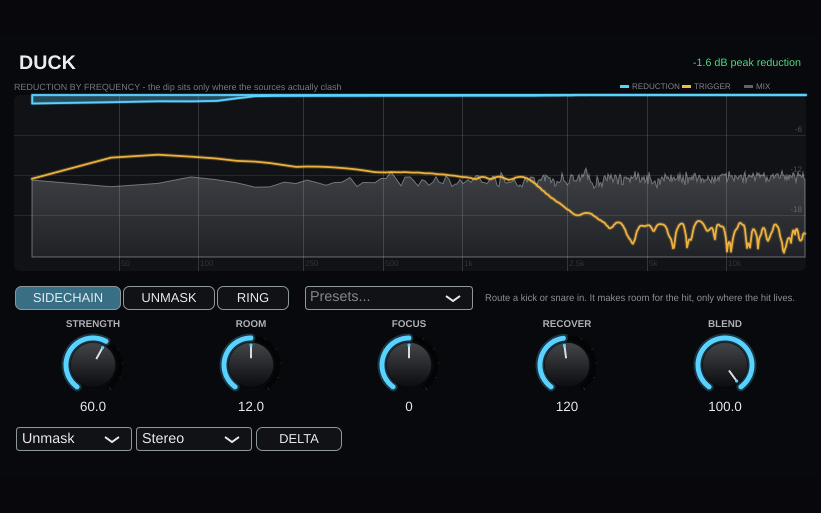
Put it on the kick and the snare, then on everything else. Everything else makes room, only in the frequencies each hit has.
Checking the store…
What it is
- Two roles and nothing to route: TRIGGER on the kick, snare or clap, DUCK on everything else
- Spectral: takes away only the frequencies each hit has, in 32 bands from 30 Hz to 16 kHz
- Measured on a guitar at AMOUNT 12 dB: a kick takes its 80 Hz down 10 dB and its 4 kHz not at all; a snare takes its 4 kHz down 8 dB and its 80 Hz 1.3 dB
- Zero latency, so there is nothing to line up, and a trigger's own sound stays untouched
- One click leaves a trigger out, and a sidechain cable counts as one more trigger
- Whole mode for a classic pump, with AMOUNT and RELEASE on the panel
Before you buy
- Activating needs the internet once per computer (Sign in with Pulse, or paste your key) and covers three computers. After that Duck works offline. A studio PC with no internet activates with a request file from your Store page.
- Ducks hear each other when your DAW runs them in one process, as FL Studio does by default. If yours keeps plugins apart, the panel says so; route a sidechain cable there.